Free for Mac Works with Ableton Live 12
Record takes that land exactly where they belong.
Dovetail Tracker is a small, free recording app for vocalists and musicians. Record your parts against your producer's song, and hand them back as an Ableton Live Set with every take already on the right bar.
The problem
Your producer is in Ableton. You're not.
You've been asked to record a part for a song. Today that usually means one of these:
Buy Ableton Live
It works, but it costs a lot for someone who only needs to record a part, and it's a big app to learn just to hit record in the right place.
Use GarageBand
It's free, but it adds processing like compression and EQ by default, which you have to find and switch off before you export a clean take.
Use a voice recorder
You get loose audio files. Someone has to place each one by hand and nudge it until it lines up, and the timing gets lost along the way.
And most of them only give you one clip at a time, not takes laid out across the song.
How it works
Two pieces cut to fit.
A dovetail joint locks two pieces of wood together exactly. Dovetail Tracker does the same for your take and your producer's song.
-
Producer
Send a bounce
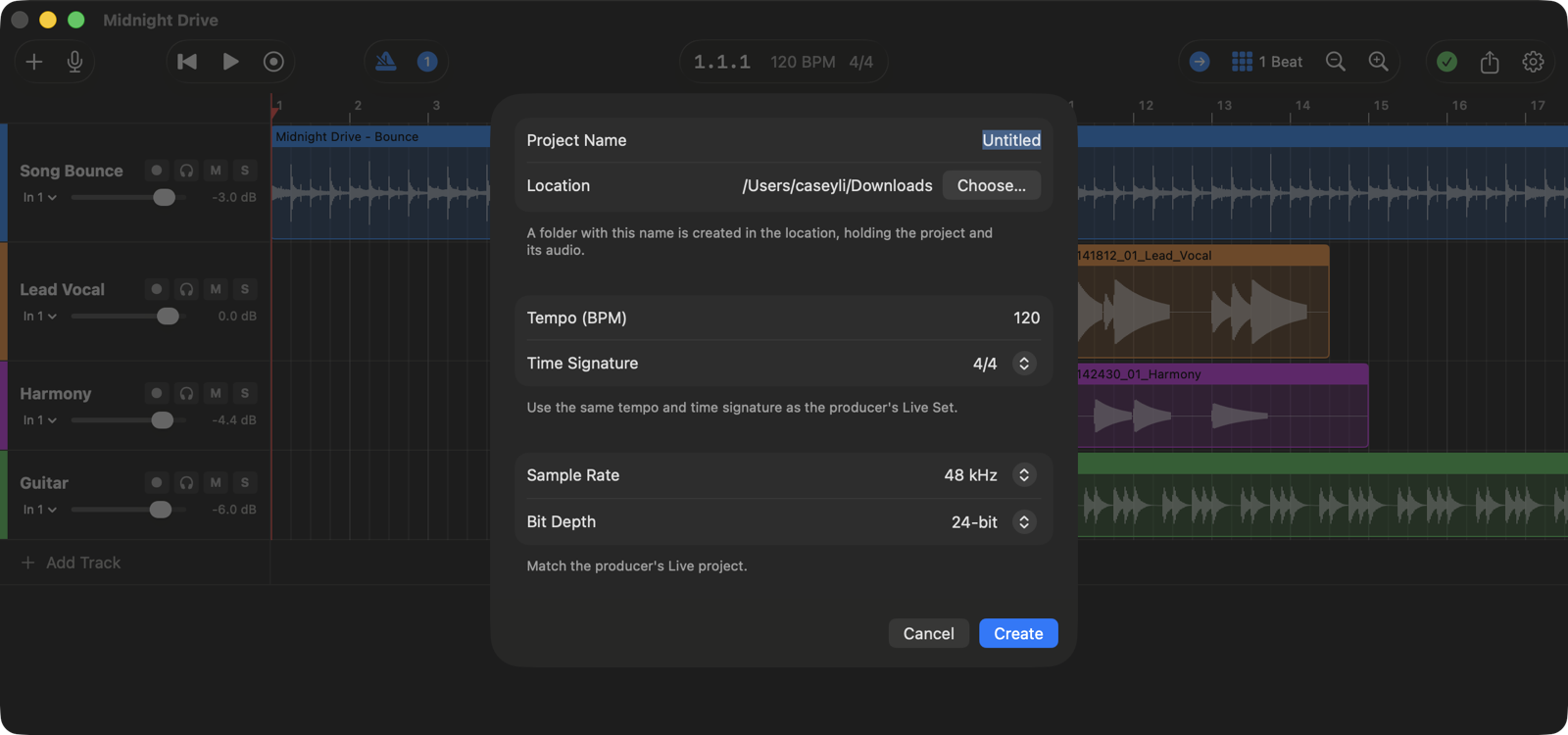
Bounce the song so far and send it with its tempo, time signature, sample rate and the bar the bounce starts on. Or set up the Dovetail Tracker project yourself and send that.
-
Performer
Lay it down
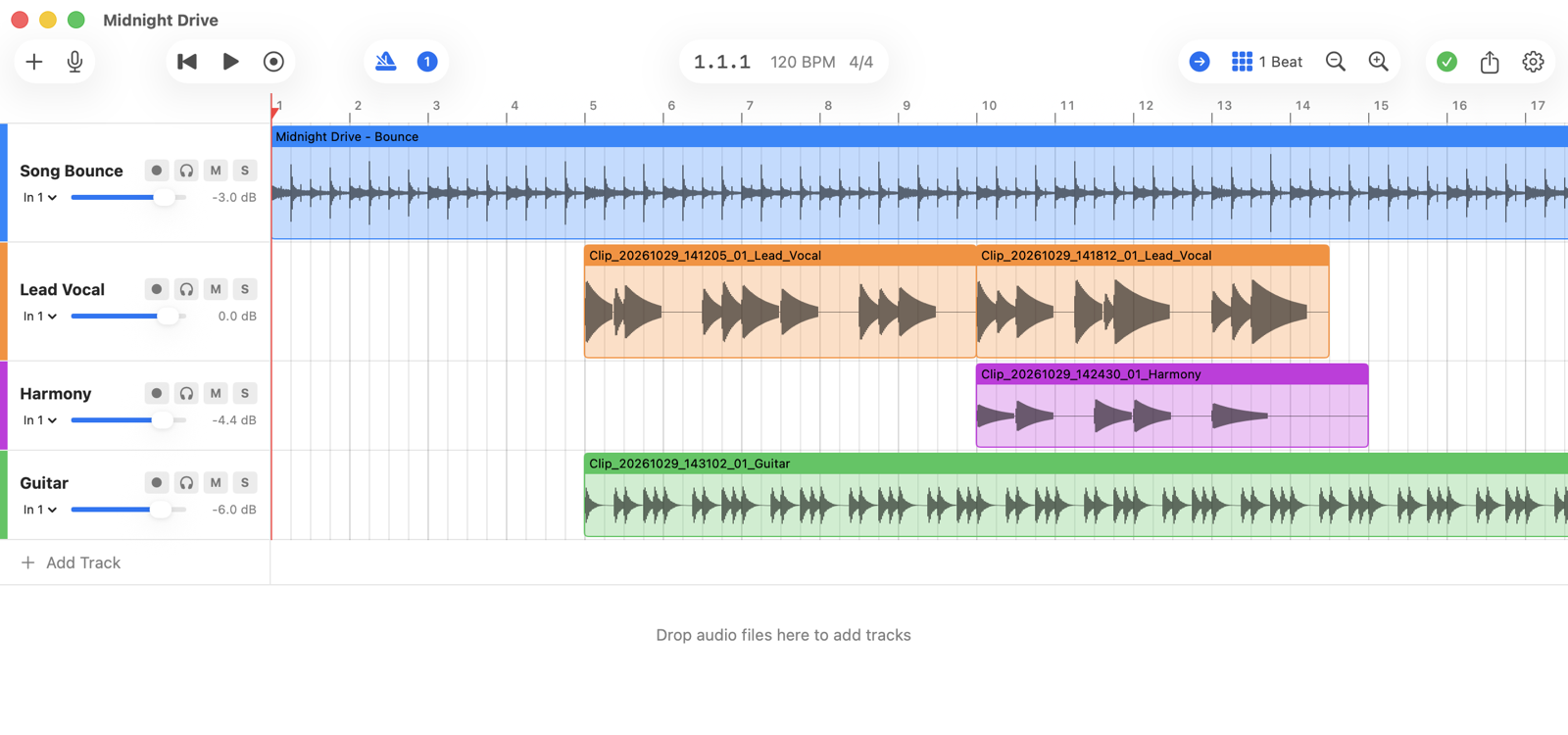
Start a project with the same settings, drop in the bounce and put it on its starting bar. If your producer sent a ready-made project, just open it.
-
Performer
Record your takes
Arm a track, set a count-in and a click if you want them, and record. Punch in wherever you need to.
-
Both
Hand it back
Export for Ableton and send the folder. The producer drags your tracks into their song, and every take is already on its bar.
Built to do one job
A tracker, not a DAW.
Free
No price, no account, no licence key. Download it and record.
As if you tracked in Ableton
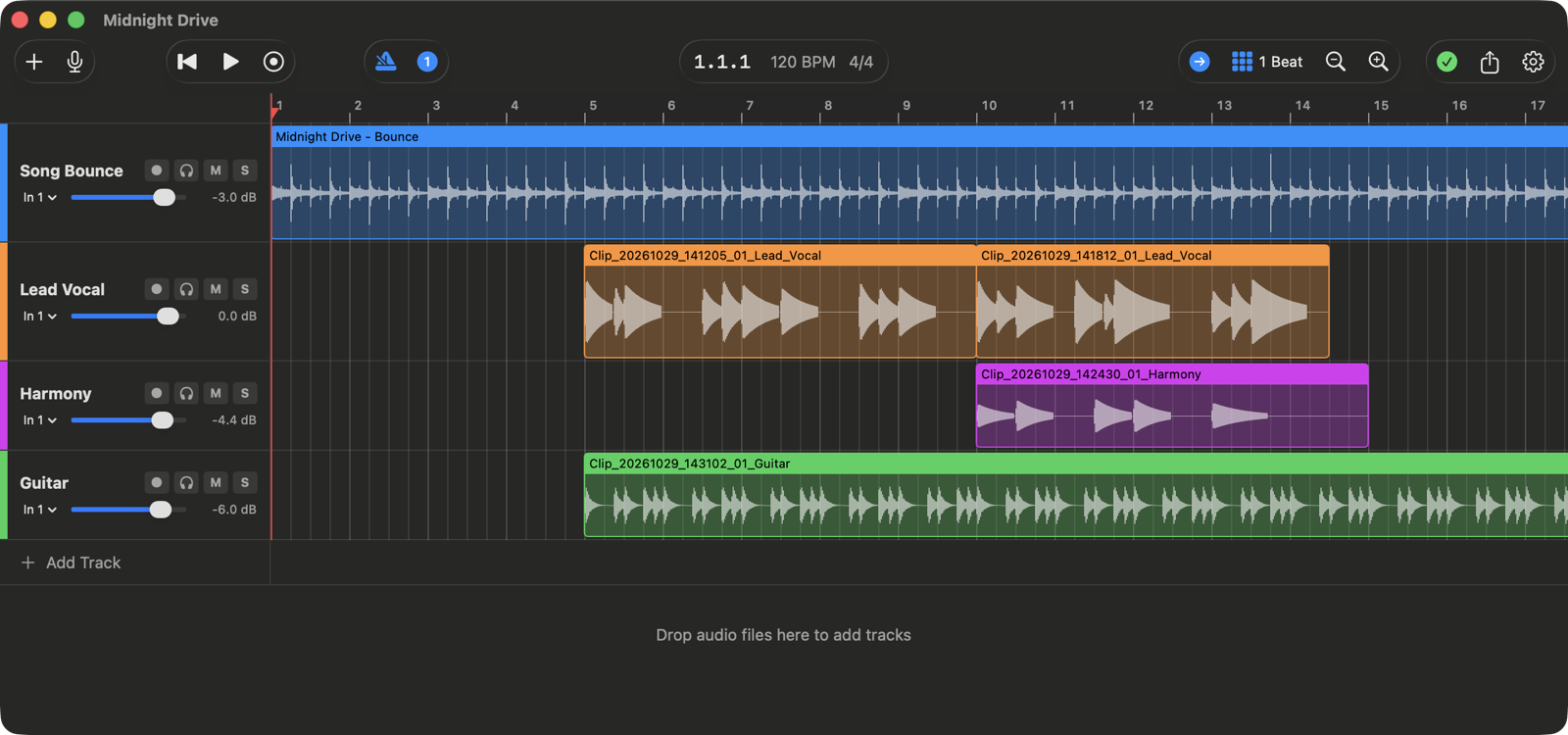
Your takes come back as an Ableton Live Set, on the right bars, with your track names, colours and levels.
Deliberately small
No effects, no plugins, no mixdown. It records clean takes in time, and that's it.
Features
Everything you need to record a part. Nothing else.
Recording
- Record onto several armed tracks at once, from a mono input or a stereo pair
- Count-in of 1 or 2 bars, and a metronome that can click only while recording
- Punch in during playback without stopping
- Hear yourself through the app with per-track monitoring
- Input meters, plus a large Input Level window with a target zone and clip light
- Every take is kept: recording over a take never destroys it
Timing
- Takes are placed using your devices' reported latency, so they don't land late
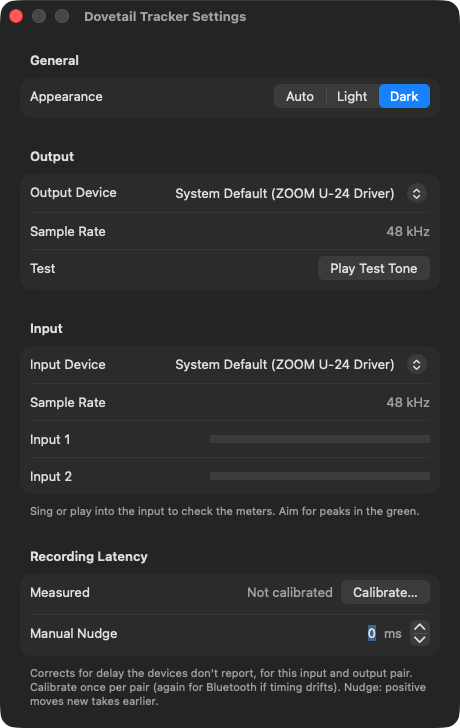
- A one-time calibration measures the delay your devices don't report
- Calibration is saved for each input and output pair
- A manual nudge in milliseconds for fine-tuning by ear
- Built-in mic and speakers, USB mics and audio interfaces all work
Arranging
- Drag in WAV, AIFF, MP3, M4A and more, converted to the project's format
- Move clips along or between tracks, and trim them from either edge
- Snap to a grid from 8 bars down to 1/32 of a beat
- Newer clips cover older ones, like in Live, and nothing is lost
- Undo and redo for every edit
- Per-track volume, mute, solo, names and colours
Handing off
- One command exports an Ableton Live Set plus its audio files
- Tempo, time signature, track names, colours, volume, mute, clip positions and trims carry over
- Clips are warped, so they stay in time if the producer changes the tempo
- Open the set in Live, or drag its tracks into the song from Live's browser
Timing
On the beat, not just close.
Every recording app has a little delay between what you hear and what it captures, so takes tend to land late. Dovetail Tracker measures that delay and places every take where you actually played it.
A one-time calibration measures the delay your devices don't report, and is saved for each setup.
- Within about
- 4.5ms
- Calibration agrees within
- ±1.5ms
- For scale, a 1/16 note at 120 BPM is
- 125ms
of the beat, before calibration, with a MacBook's built-in speakers and mic
or it asks you to try again
long
For producers
Takes that drop straight into your session.
Send your performer a bounce and a few numbers, or set up the Dovetail Tracker project yourself and send it ready to record. You get back an Ableton Live Set with their tracks, names, colours and levels. Open it, or drag the tracks into your own song from Live's browser. No lining files up by hand.
Clips are warped, so they stay in time if you change the tempo later.
Ready to record?
Download Dovetail Tracker, open your producer's bounce and start tracking.
Download for Mac- macOS 14 Sonoma or later, on Apple silicon or Intel
- A microphone or audio interface (the built-in mic works too)
- Headphones, so the song doesn't bleed into your take (wired is best)
- For the producer: Ableton Live 12 (Suite, Standard or Intro)